Sign Up
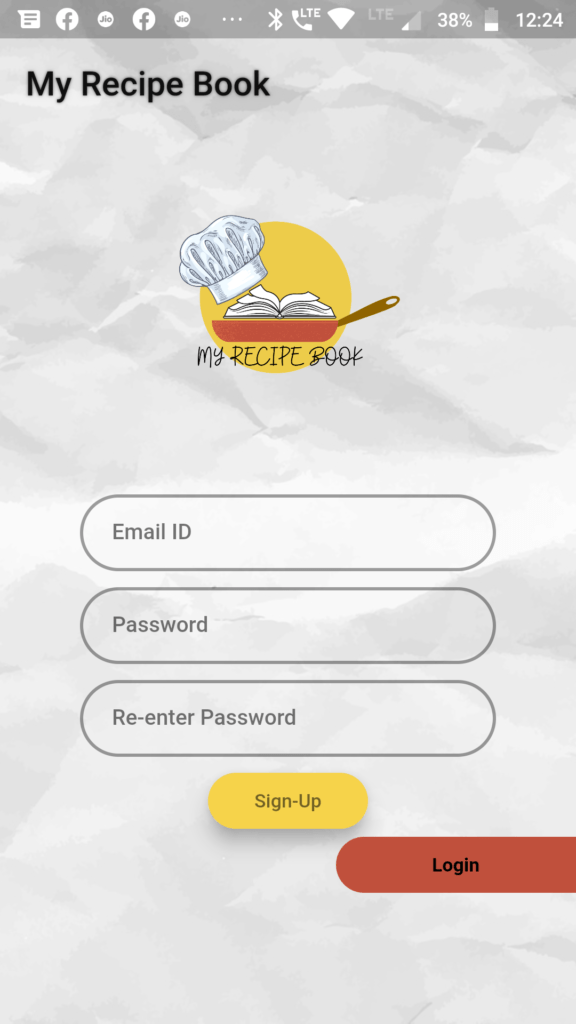
Click on “New User Signup” on login page to navigate to signup page.Signup by giving your email and desired password.
Once you signup ,you will receive a verification email. Verify your email and get started.
Login
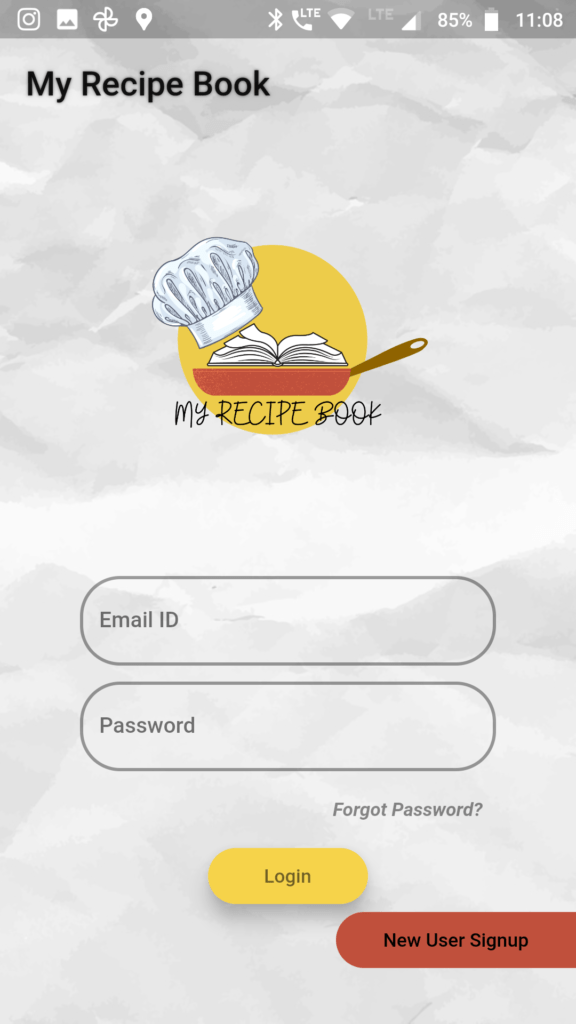
Login to the app by entering your email id and password.
Incase you forget your password, click on “Forgot Password” link to reset your password.
Home
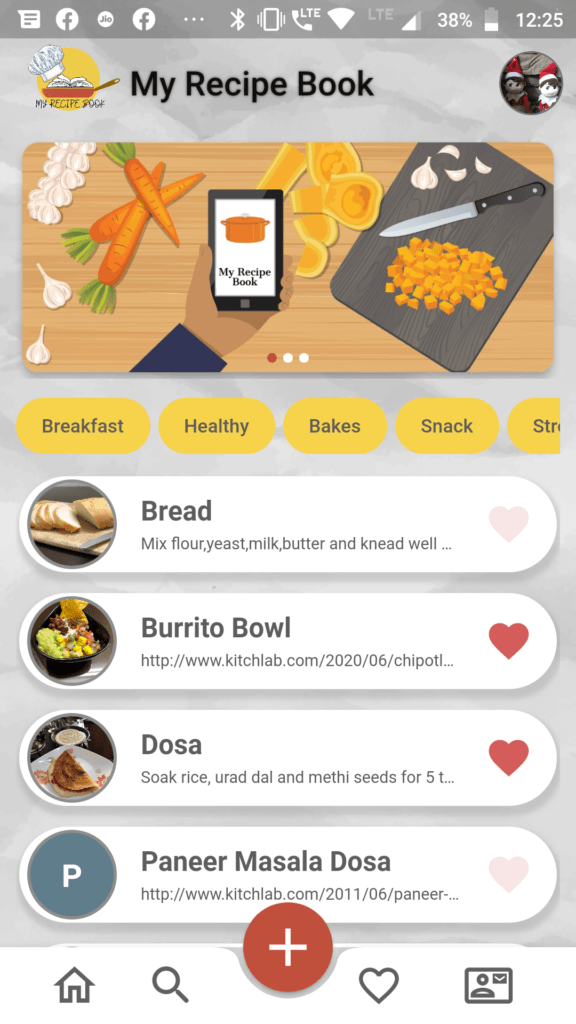
Home page contains all the major functionality of the app. It displays all the recipes that you have added.Click on the recipe to view details.
- Click on a tag to view all the recipes with the tag.
- Click on a recipe card to view all the details of the recipe that you saved.
- Click + to add and save your recipes.
- Click on search Icon to search the recipes you saved.
- Click on the heart icon to view the recipes that you marked as favourite.
Add Recipe
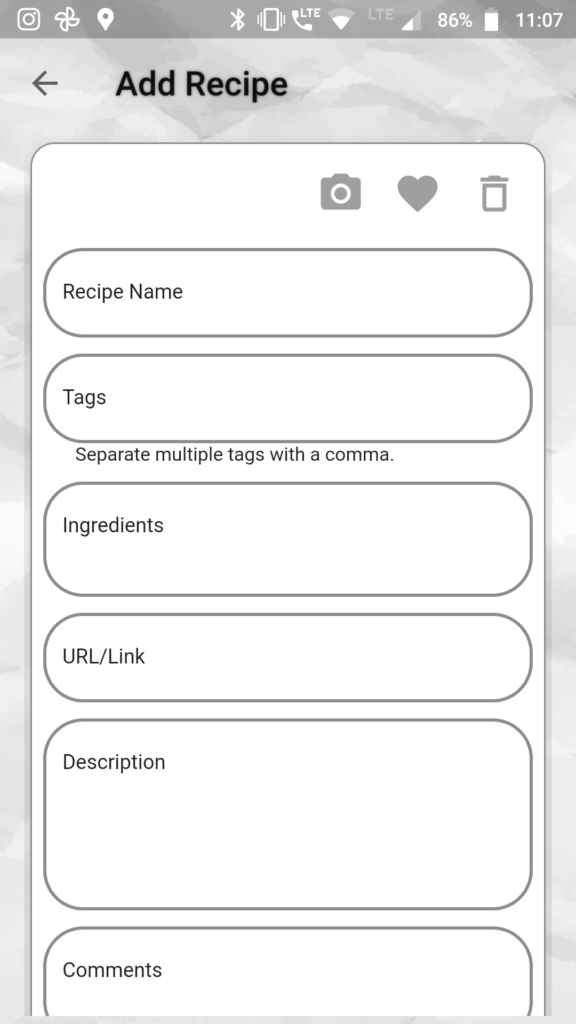
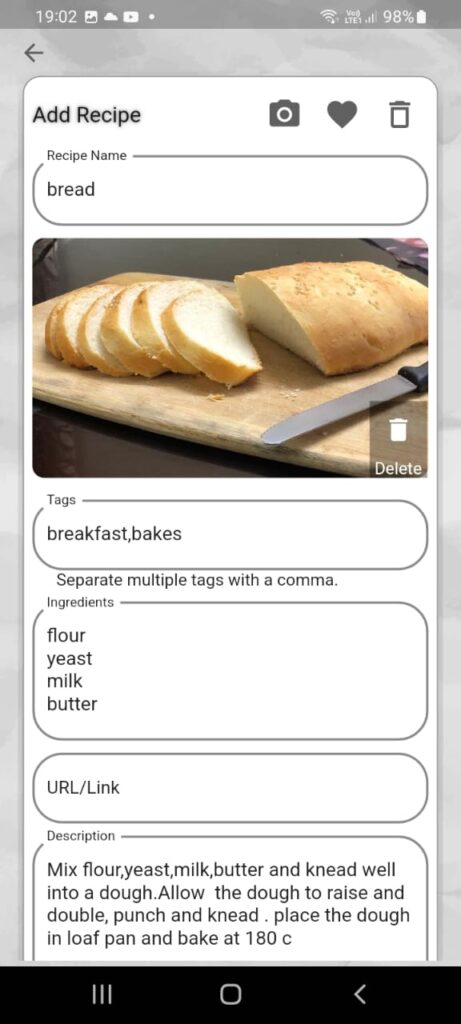
Add recipe page allows you to add and save recipes into my recipe book.
- Type in all the details of the recipe that you would like to save. A recipe should have either link, description or an image (can be screenshot, photo from a book etc).
- Click on Camera icon to add an image to the recipe.You can add upto three images for a recipe.
- Click on heart Icon to mark the recipe as favourite.
- Add tags to the recipes to organise recipes.
- Add multiple tags separated by “,”. Tags help you to search and retrieve recipes easily.
- Save recipe once you have updated all the details of the recipe.
Search Recipe
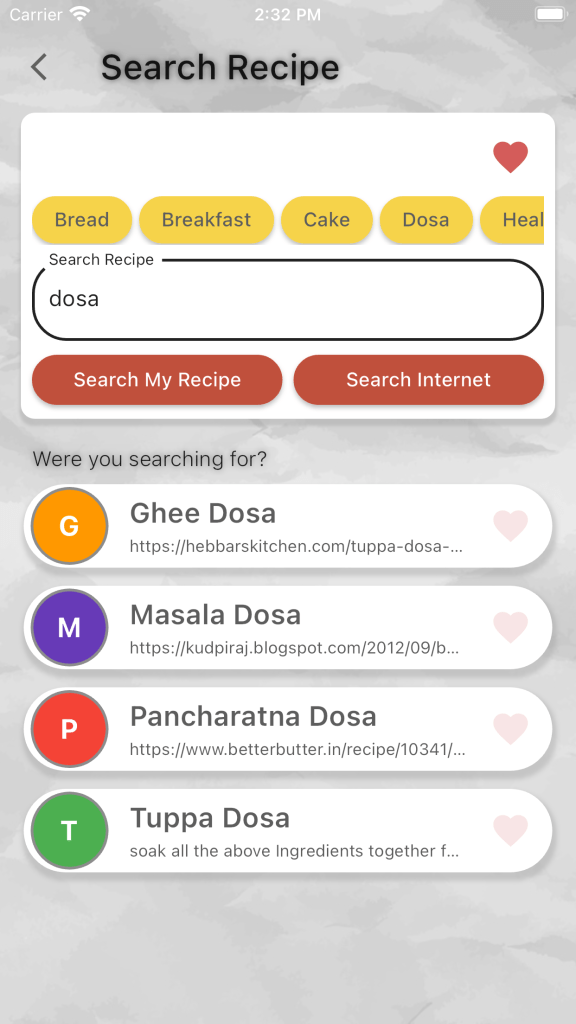
Search recipe page allows you to search the recipes that you have saved in my recipe book and also to search recipes from the internet and save it to my recipe book.
- Search recipe by name .
- Click on a tag to view all the recipes with a tag.
- Click on heart Icon to view all your favourite recipes.
Recipe Page
When you click on a recipe card on home page, favourites, tags or search page you can view all the details of a recipe that you saved.
- Click on edit icon to make changes to the recipe.
- Click on share button to share the recipe. You can share a recipe directly through email, or other social media apps.
- Recipe can also be shared a recipe file. Recipe file can be used to directly open, view and save recipe into my recipe book app.

When you click on edit icon in the recipe page you can edit the recipe.
- Click on camera icon to add /change recipe image.
- Click on delete button on an image to delete an image.
- Make the changes you want to and click on save to save the changes in the recipe.

Save a recipe link
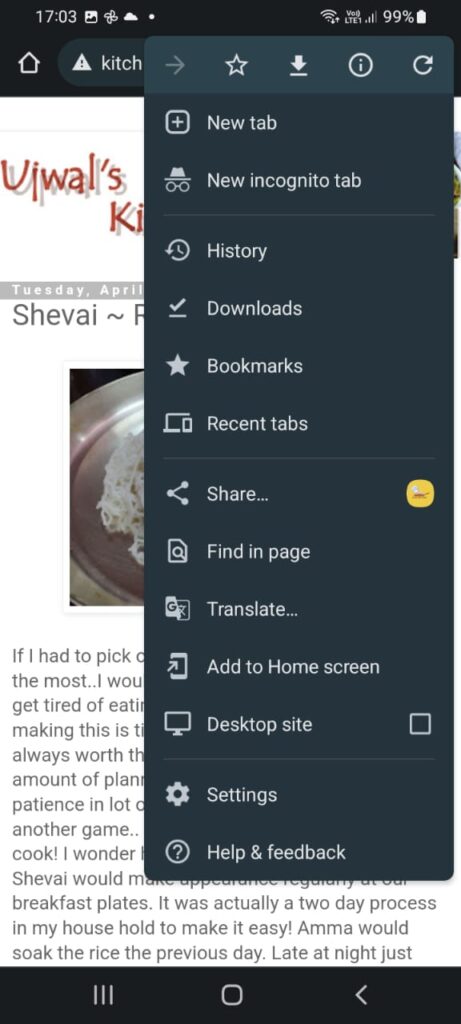
You can save a recipe url (blogs, website, youtube etc) directly to my recipe book .
- Click on share option in the website, blog or youtube.
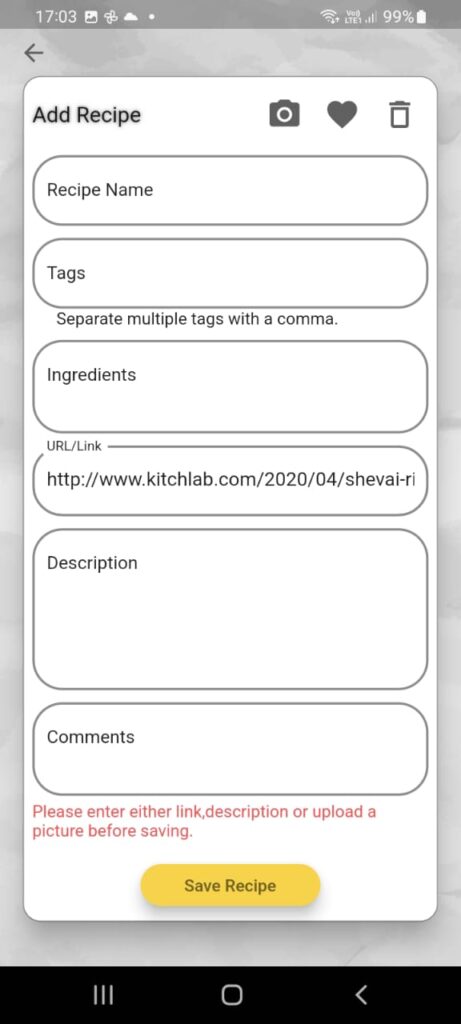
- Select my recipe book app.
- Link will be added to my recipe book, add recipe page.
Save from a .recipe file
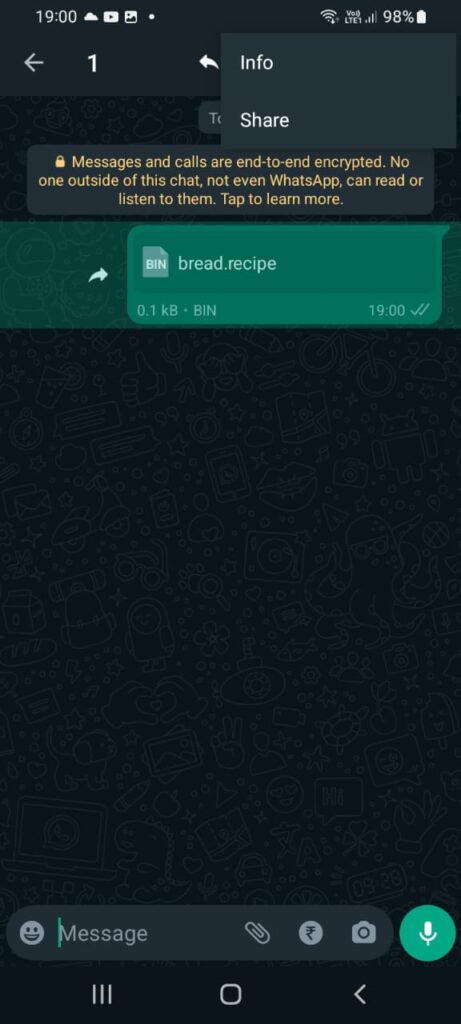
You can save a recipe through .recipe file that was sent to you to my recipe book .
- Click on share option .
- Select my recipe book app.
- Recipe will be opened in the add page of my recipe book.
 My Recipe Book